Start with context.
Put the brief, brand guidelines and project knowledge where the team—and Xander—can use them.


Chat with your team. Review every frame. Keep projects moving.
All together, with Xander, your AI Operations Partner.
The new cut is ready. Let’s check the opening and the logo placement.
I’m on it. Adding my notes directly to the video.
SOUND FAMILIAR?
The brief lives in a document. Feedback is in a chat. The latest version is in a drive. And someone still has to ask what’s approved.
Friday brings the work—and the context behind it—together.
EVERYONE IN THE LOOP. EVERYTHING IN CONTEXT.
A HOME FOR THE WHOLE OPERATION
Move between the conversation, the plan and the content without losing the thread.
Send a message, share a cut and move straight into review. The conversation stays close to the work.
The new cut is ready. Let’s check the opening and the logo placement.
I’m on it. Adding my notes directly to the video.
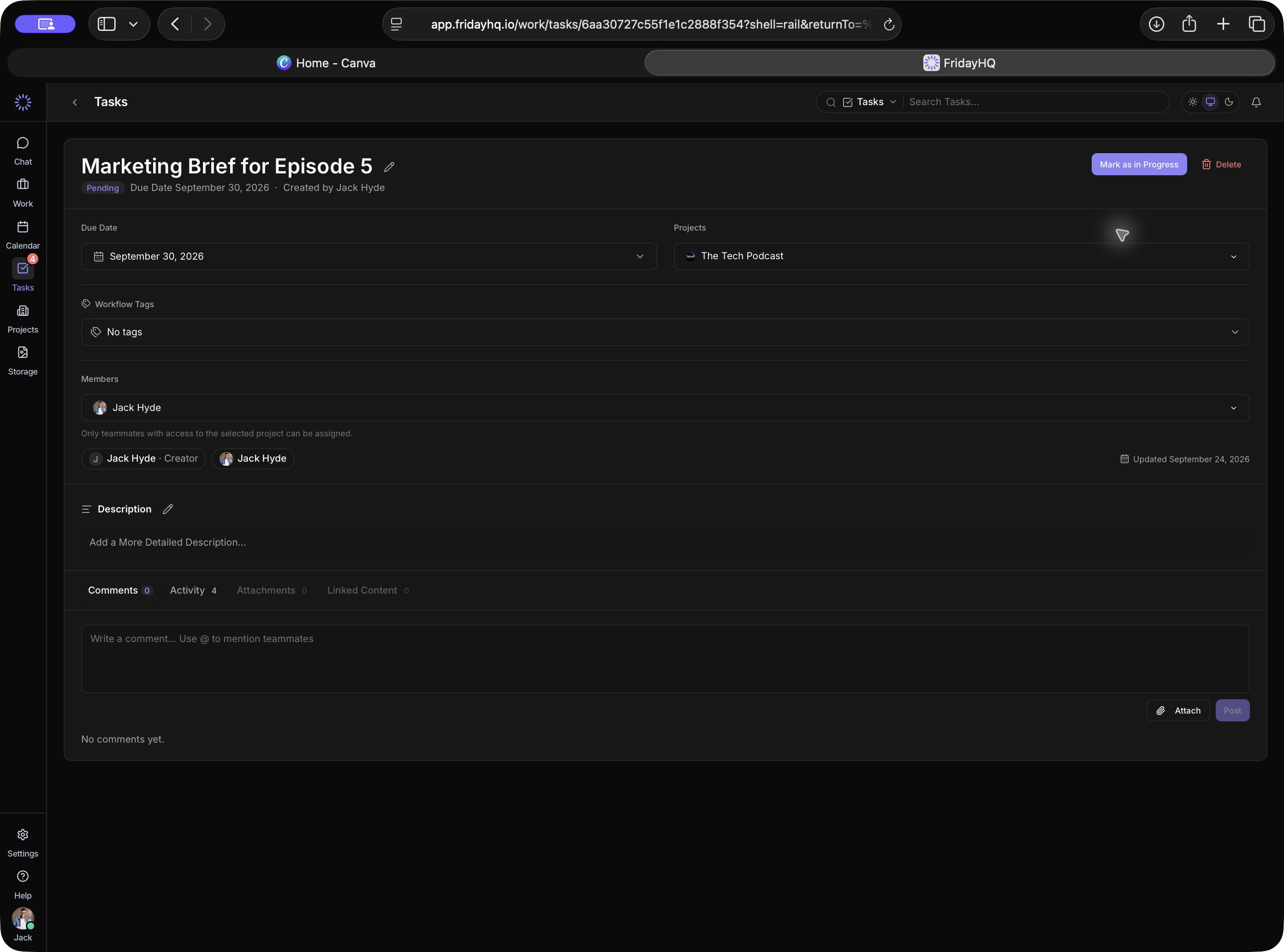
THE WORK IS CONNECTED. NOW IT HAS A PARTNER.
MEET XANDER · YOUR AI OPERATIONS PARTNER
Ask about a project. Review a cut. Find out what’s blocking the team. Xander works with the content, conversations and knowledge already in Friday.
Meet your operations partner ↗Two things need attention before the launch is ready:
The current track hasn’t been cleared. The edit needs an alternative before approval.
The regional version is still waiting on review.
Project knowledge, regional requirements and platform guidelines.
Content feedback, timestamped notes and checks against earlier feedback.
Tasks, ownership and handoffs grounded in your team’s work.
PRECISE FEEDBACK. SHARED UNDERSTANDING.
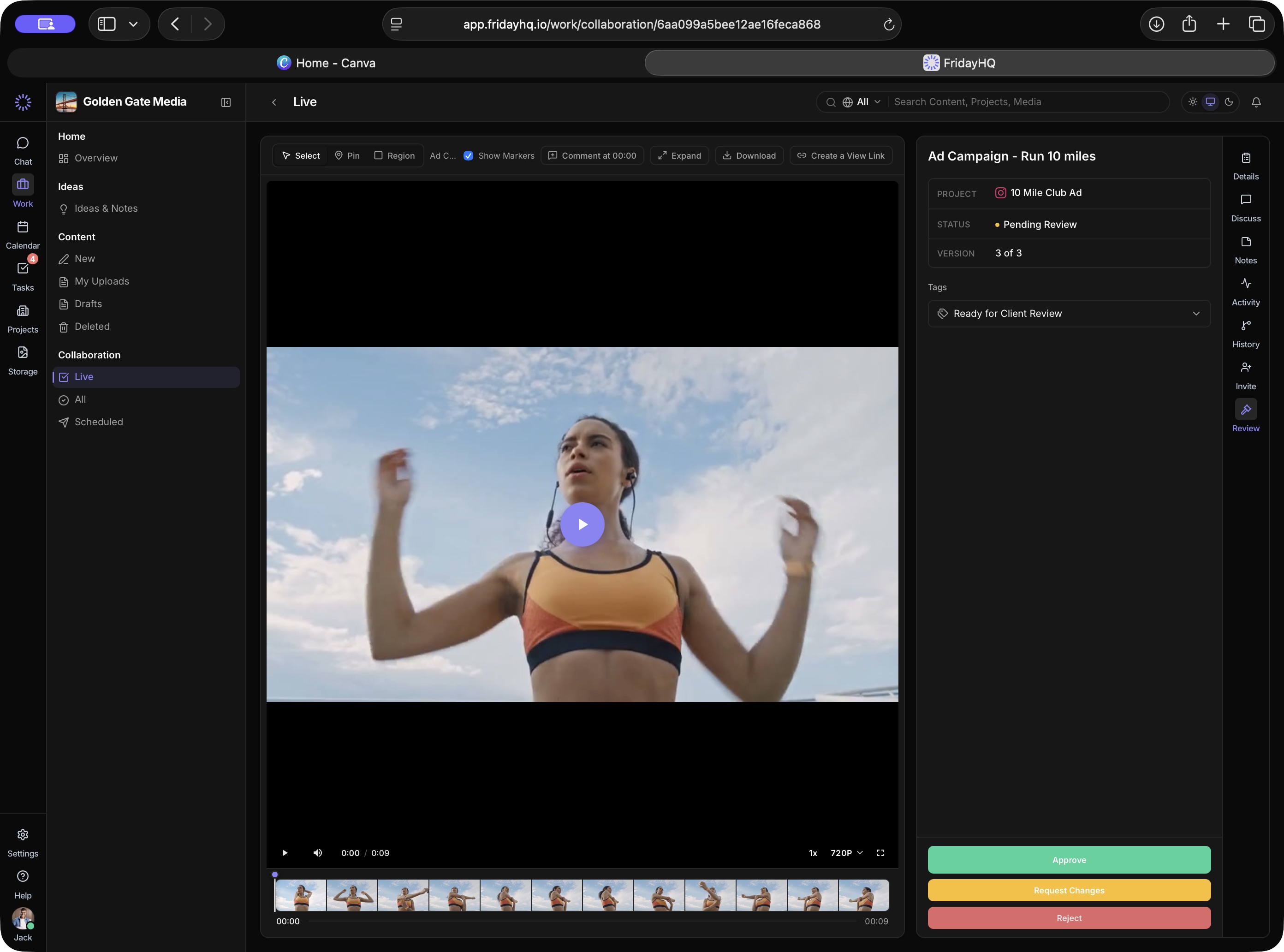
CONTENT REVIEW, WITHOUT THE CHASE
Keep versions, timestamped feedback and approvals beside the content. Make it clear which platform is ready—and which still needs work.
ONE CONNECTED WAY TO WORK
A workflow that holds the whole story, from the first conversation to the final approval.
Put the brief, brand guidelines and project knowledge where the team—and Xander—can use them.
Topics, DMs, huddles, files and tasks keep people connected to the work.
Review versions, resolve comments and ask Xander to check what changed.
See the approval state for each platform before your team takes the next step.
THE DETAILS THAT MAKE IT WORK
Public and private topics, direct messages and team huddles.
Shared plans, deadlines and a clear view of the days ahead.
Keep responsibilities and next steps close to the project.
Keep creative work, feedback and approval history together.
A shared home for files, with 100 GB pooled storage per seat.
Give your team and Xander the context behind the decisions.
LESS CHASING. MORE CREATING.
ONE PLATFORM. A CLEAR STARTING POINT.
Start with a 7-day free trial. Explore the workspace with your team.
Need help planning the move? Let’s talk →Billed monthly
The connected workspace for your media operation.
Start your free trial ↗Flexible contracts and invoicing
Tailored capabilities and dedicated support for growing organisations.
Book a Demo ↗A FEW THINGS YOU MIGHT BE WONDERING
Media companies, production teams, agencies and social teams managing creative work across people, projects and platforms.
Xander can review content, answer questions using project knowledge, help track work and coordinate tasks. Give it your project context and clear instructions. Your team should check consequential decisions and approvals.
No. Friday helps your team plan, review and approve the work. Publishing is handled separately.
Yes. Friday supports client access so you can bring stakeholders into the review process and keep feedback connected to the work.
Start a 7-day free trial or book a walkthrough. The Friday team can help you explore a setup that fits your operation.